For anglers in the Nordics

Find your next fishing spot in seconds.

Tell FisherGuy what you want to catch and where. It suggests nearby spots with the weather and the day's bite windows. Log your catches. All in one iOS app.

iOS 17+ · Free during beta · No ads, no data sales
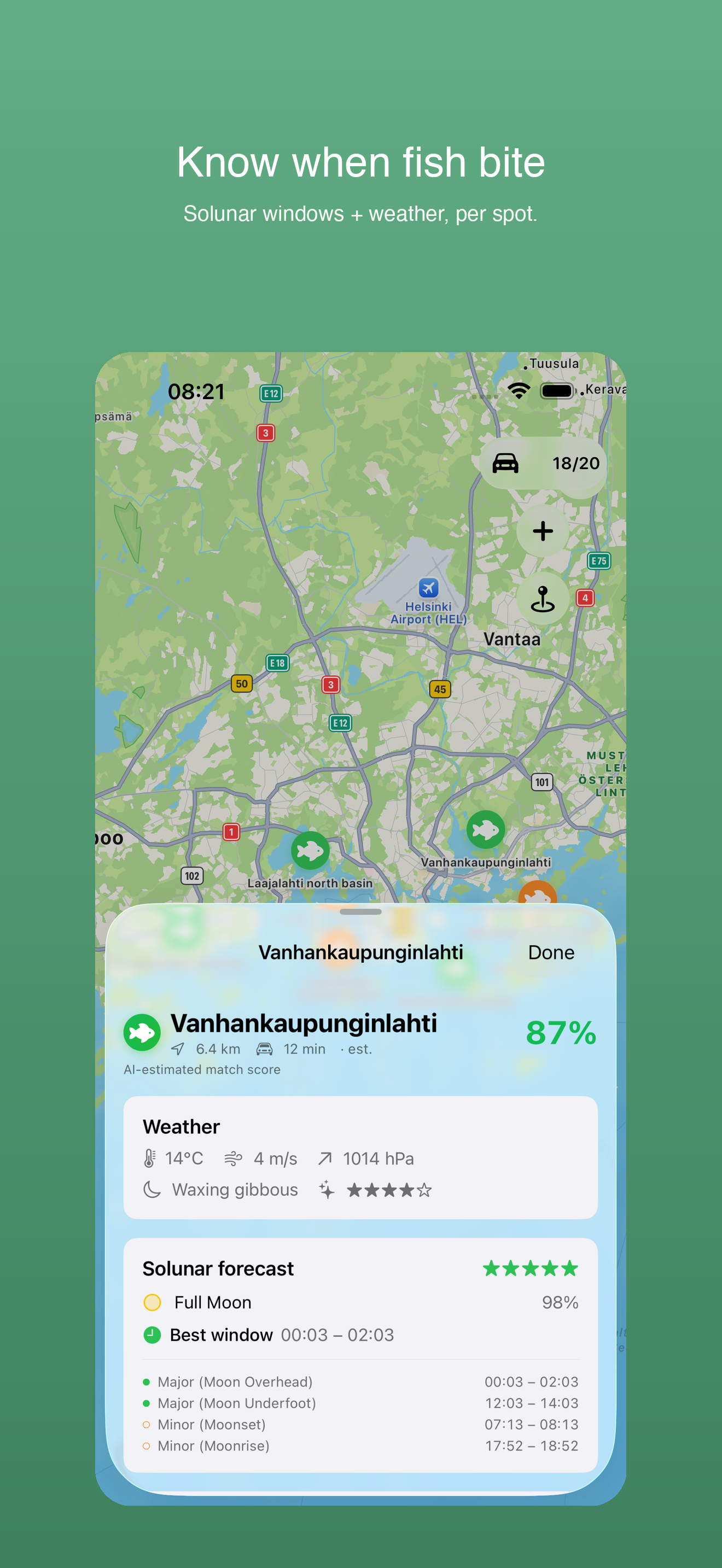
FisherGuy on iPhone — spot card with match score, weather and solunar bite window
🌍 21 languages
🔒 Your catches stay yours, no ads
🇸🇪 Built in Sweden
🌤️ Live weather for every spot
What it does

Everything an angler needs in one place.

Six tools we built because we were tired of juggling four apps every trip.

🎣

Spots for your question

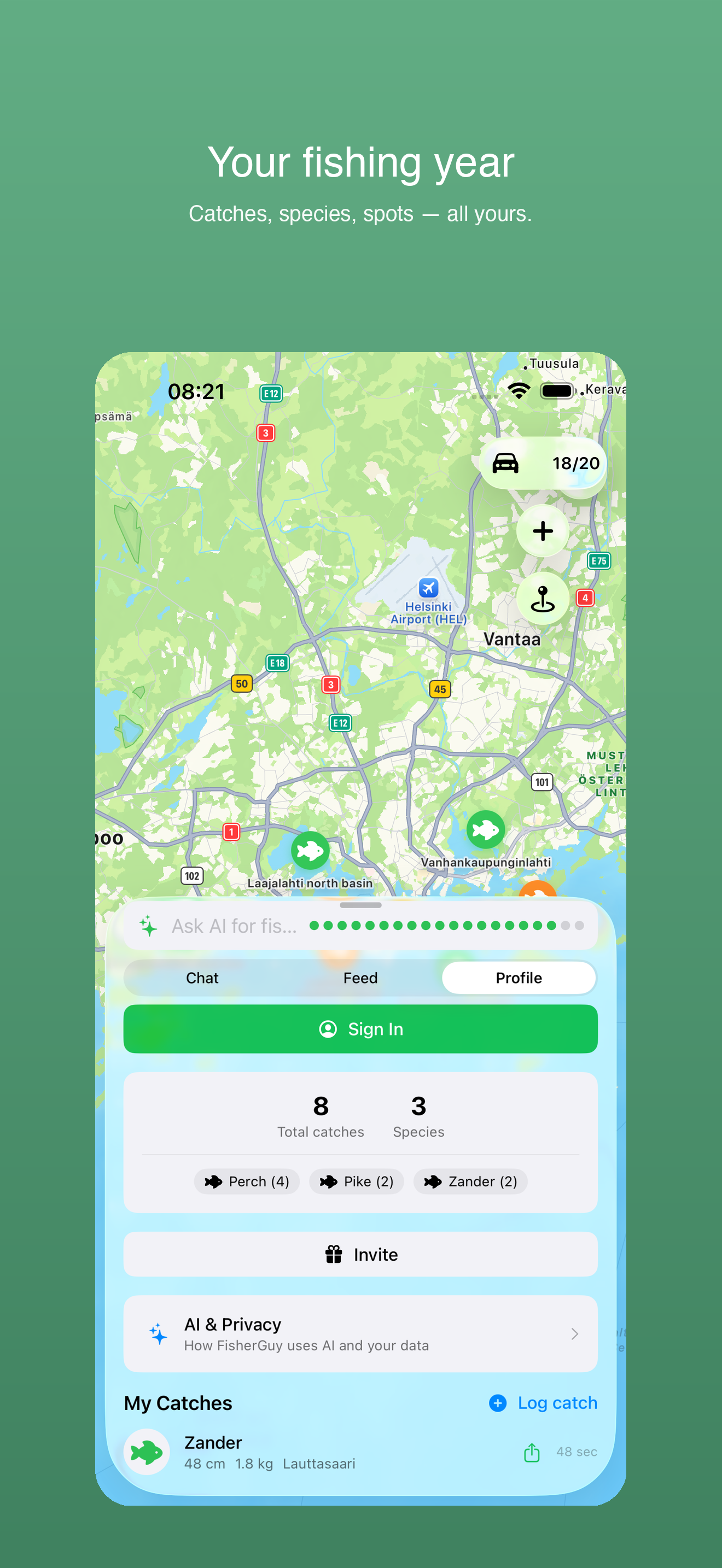
Type what you want: «perch in Helsinki», «zander near Tampere». Matching spots land on the map with a match score, the weather and the day's bite windows.

📍

Nearby spots

Browse every fishing spot within your chosen radius, closest first.

📔

Catch logbook

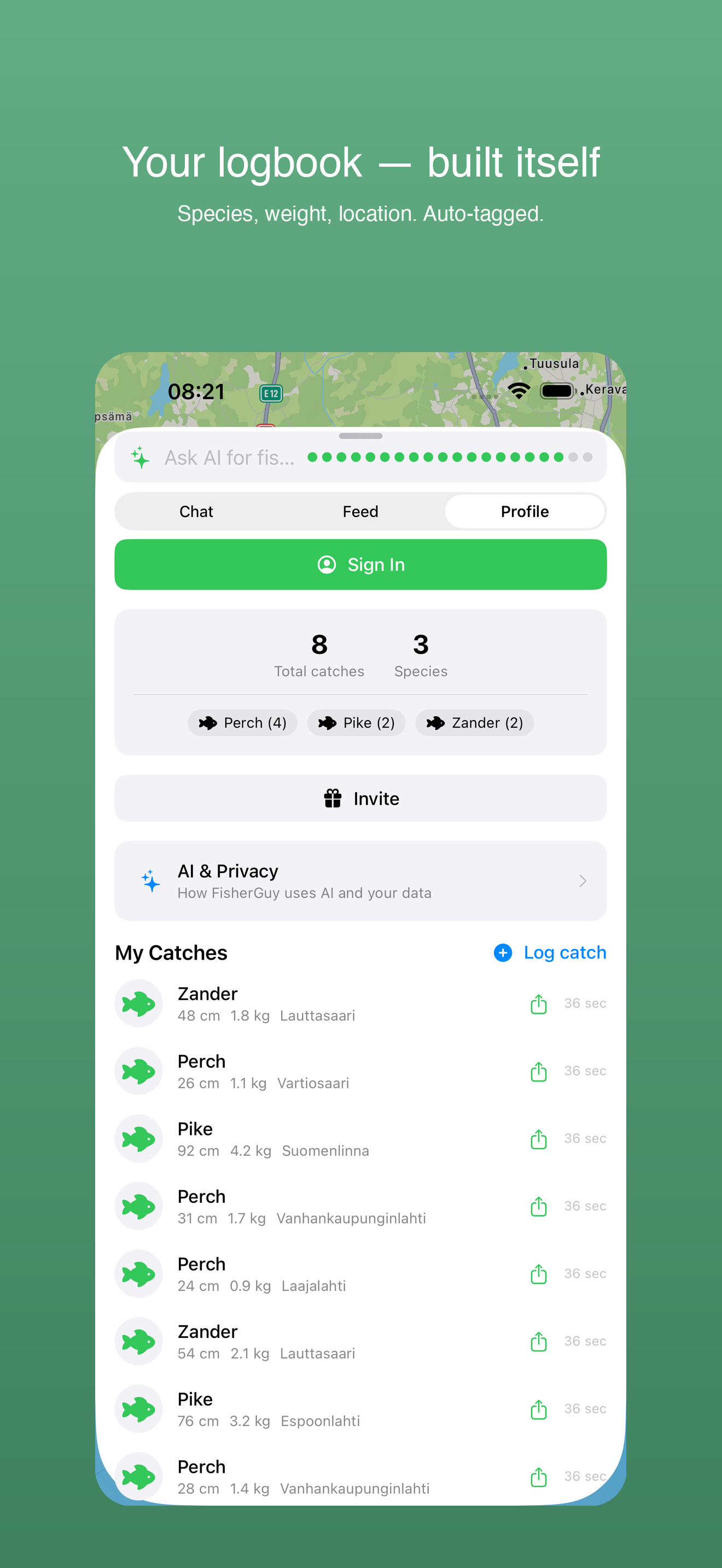
Log every catch with photo, species, weight and notes. Sign in and your logbook follows you to a new phone.

🌤️

Weather & solunar

Wind, temperature, and the solunar (sun + moon) bite windows for the next 24 hours, per spot. So you know whether tomorrow morning is worth getting up for.

👥

Community feed

See who's catching what nearby as the community grows. Follow your fishing buddies, share catches if you want, keep the honey holes to yourself if you don't.

🌍

21 languages

Full localization including Swedish, Finnish, Norwegian, Danish, German, French, Polish, Ukrainian, Japanese, Arabic, Russian and more.

How it works

Three steps to your next catch.

1

Ask in your own words

Type what you want to catch and where. FisherGuy picks up the species and the place.

2

Pick a pin on the map

Tap any pin for the match score, the weather, the day's solunar bite times and local fishing-rule notes, with a licence link where we have one.

3

Log your catch

Snap a photo, pick the species, add weight and notes. Your logbook builds itself trip by trip.

See it in action

Screens you'll actually use.

Captured in the app around Helsinki: real spots, real solunar bite times.

Spot detail showing match score, weather and solunar bite window
Solunar + weather
Catch logbook listing catches by species and weight
Catch logbook
Profile screen with catch stats
Profile + stats
Spoken your way

Localized for 21 languages.

The full UI, not just labels — error messages, share copy, and the catch logbook prompts too.

🇬🇧 English 🇸🇪 Svenska 🇫🇮 Suomi 🇳🇴 Norsk 🇩🇰 Dansk 🇩🇪 Deutsch 🇫🇷 Français 🇪🇸 Español 🇮🇹 Italiano 🇧🇷 Português (Brasil) 🇳🇱 Nederlands 🇵🇱 Polski 🇺🇦 Українська 🇷🇺 Русский 🇹🇷 Türkçe 🇯🇵 日本語 🇨🇳 简体中文 🇹🇼 繁體中文 🇰🇷 한국어 🇻🇳 Tiếng Việt 🇸🇦 العربية
FAQ

Questions, answered.

What devices does FisherGuy support?

iPhone running iOS 17 or newer (iPhone XS / XR and later). The beta is iPhone only.

Is it free?

Yes, FisherGuy is free during beta, with a daily limit on questions. Paid plans will come later.

What countries are covered?

Sweden, Norway, Finland, Denmark, the Netherlands, France, the UK, Estonia, Latvia and Lithuania. Sweden and Norway have the most spots and species data; the other countries are filling in.

How good are the spot suggestions?

FisherGuy suggests likely areas from water type, species data, season and conditions. It's a starting point, not a guarantee, and always check the local rules on site.

Do I need a fishing license?

Yes — FisherGuy does not replace local fishing-license requirements. We show license-required-zone warnings where the data is available, but it's your responsibility to comply with national and regional regulations.

What about my data?

Catch data is yours and never sold. Analytics run on our own server and only after you agree; there are no Google or Meta SDKs. Read the full privacy policy.

Can I share my spots — or keep them secret?

Both. For each catch you choose whether it's public, friends-only or private. Your honey holes stay yours.

Who builds FisherGuy?

FisherGuy is built by Agonist Development AB, a Stockholm-based independent software studio. Contact us at ab@agonist.ai.

Be among the first to try it.

The public beta is open. Install TestFlight from the App Store, then tap the button on your iPhone.

Join the beta on TestFlight